DigiShakti Portal: e-KYC, Status Check and Free Tablet Guide
If you study at a college, university, ITI or other institute in Uttar Pradesh, you've probably heard of DigiShakti. Some people spell it Digi Shakti, DG Shakti or Digi Sakti. It's the state's website and portal for the Swami Vivekananda Yuva Sashaktikaran Yojana, which hands out free tablets to students. The official address is digishakti.up.gov.in. If you're a student, there's really only one job for you there: the Aadhaar e-KYC through MeriPehchaan. And since 25 July 2025, it's tablets only. No more smartphones.
We aren't the official portal, and we have no link with the UP government or UPDESCO. We'll never ask for your Aadhaar number, an OTP or a password.
What is the DigiShakti portal?
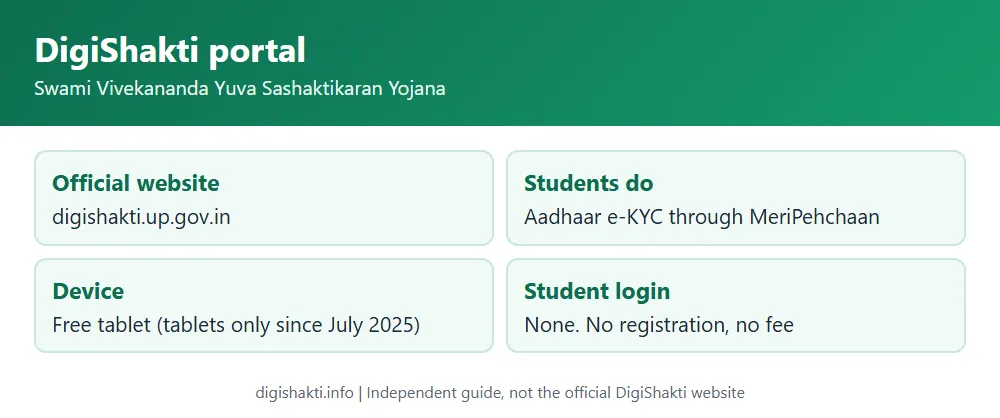
There are actually two official addresses, and the government order of 27 August 2024 mentions both. The first, digishakti.up.gov.in, is the information side. You'll find the scheme details there, the government orders, an FAQ, service centre lists, and the e-KYC button students need.
The second, digishaktiup.in/app, is where the paperwork happens. Institutes, universities, departments and district officers use it to upload student data, approve it, lock it and record who received a device.
Behind both is the Infrastructure and Industrial Development Department of Uttar Pradesh. UPDESCO in Lucknow is the nodal agency. It runs the portal and buys the devices.
What the portal keeps track of
The government order of 18 July 2022 spells out what goes into the portal. It holds the number of students in each department and institute, broken down by class and subject, along with each student's details in a fixed format. It records the tablets and smartphones allotted to every institute, what the supplier sent and what actually arrived. Distribution is logged too, with proof that each student got the device. The portal also lists the service centres suppliers opened in each district, keeps track of complaints during the warranty period and how they were settled, and names the nodal officer or committee handling distribution at each institute.
DigiShakti, Digi Shakti, DG Shakti: same portal
People type the name every which way: DigiShakti, Digi Shakti, DG Shakti, DJ Shakti, Degi Shakti, Digi Sakti, DigiShakti UP, digishaktiup. In Hindi it's डिजीशक्ति. They all point to one Uttar Pradesh portal at digishakti.up.gov.in, and that's where the student e-KYC starts.
DigiShakti login: who logs in
Here's something worth knowing: you don't get a login. The official Student Corner says plainly that no login ID is made for students at any point, and that students don't have to register or apply anywhere for the tablet.
The portal logins belong to universities, boards, societies and councils, to colleges and institutes, to district nodal officers, to UPDESCO and to other bodies the government authorises. Those accounts are set up for them. The login details go to their registered mobile number and email, so they never sign up on their own.
So if some website offers you a "DigiShakti student login", or wants you to register for a tablet, walk away. It isn't official.
How a student gets the tablet, from start to finish
It starts with your college. Your institute uploads your details to the portal and checks them, then your university approves the data, and after that the department locks it. Nothing moves until the data is locked.
Your part comes next: the Aadhaar e-KYC through MeriPehchaan. Once your status reads Verified, the institute forwards your name to the district nodal officer. The district then picks students in the set order of priority and works out supply with UPDESCO and the supplier.
The tablets themselves are handed over at your institute. According to the 2022 order, the district's in-charge minister, MP or MLA should be there when that happens. Along the way you'll get SMS updates on your device status, and your institute will also put out word by email, notice or on its website.
DigiShakti e-KYC steps
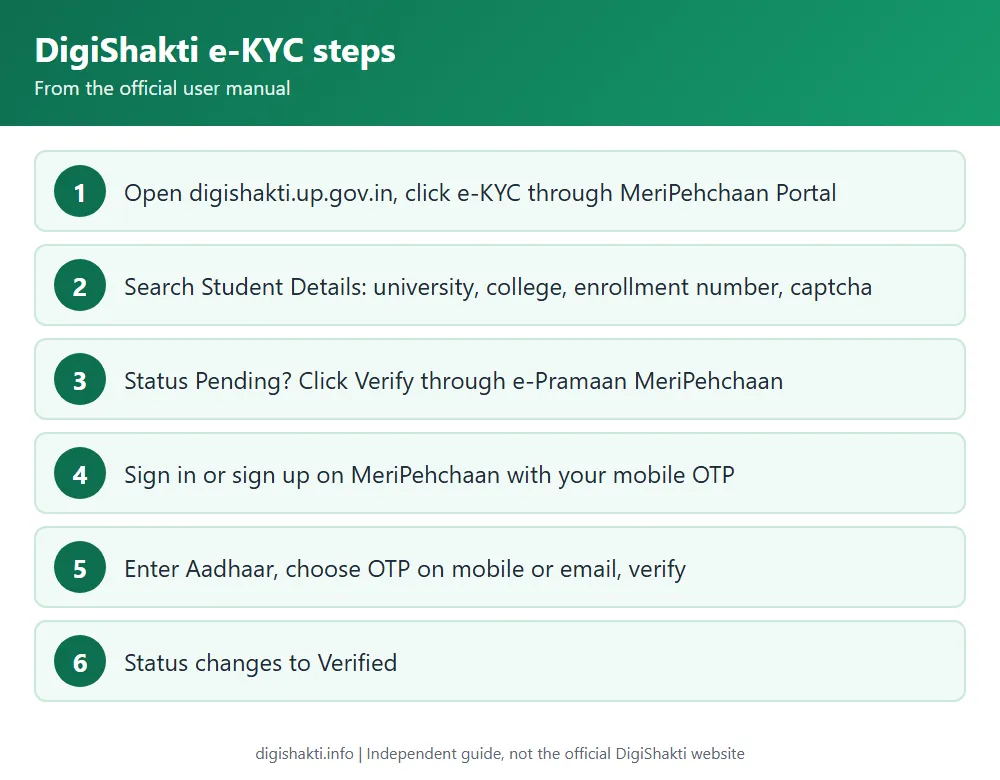
No e-KYC, no tablet. That rule comes from GO 667 of 27 August 2024. The check works with an OTP, sent to the mobile number or email linked to your Aadhaar, and that's the only method the official manual describes.
You begin on digishakti.up.gov.in, with the button marked e-KYC through MeriPehchaan Portal. It opens a form called Search Student Details, which asks for your University/Board/Society/Council, your College/Institution, your Enrollment Number and a captcha. Once you search, your record shows up. A Pending status means the e-KYC isn't done, and the button below it, Verify through the Login Using e-Pramaan MeriPehchaan, takes you to MeriPehchaan.
There you either sign in or, if it's your first time, sign up with your mobile number and an OTP. Then comes the Aadhaar part. You put in your Aadhaar number, choose whether the OTP goes to your mobile or email, type the code when it arrives and click Verify. Search your record again afterwards and it should say Verified.
If something goes wrong, our DigiShakti e-KYC guide covers every step and what to do when it fails.
Check your status
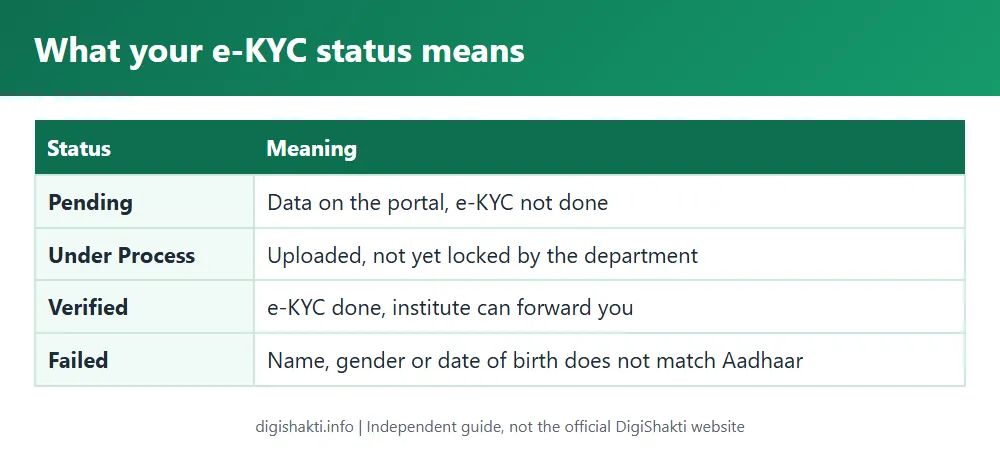
You won't find a public list of student names anywhere. What you can do is look up your own record, on that same Search Student Details page, and read the status:
| You see | Meaning |
|---|---|
| Pending | Your data is on the portal; e-KYC not done yet. |
| Your data verification is Under Process | Uploaded by your institute, not yet locked by the department. |
| Verified | e-KYC done; your institute can forward you for device selection. |
| Failed | Name, gender or date of birth doesn't match Aadhaar. Contact your institution nodal officer. |
There's more detail on each one in DigiShakti status check and student list.
Who gets the free tablet
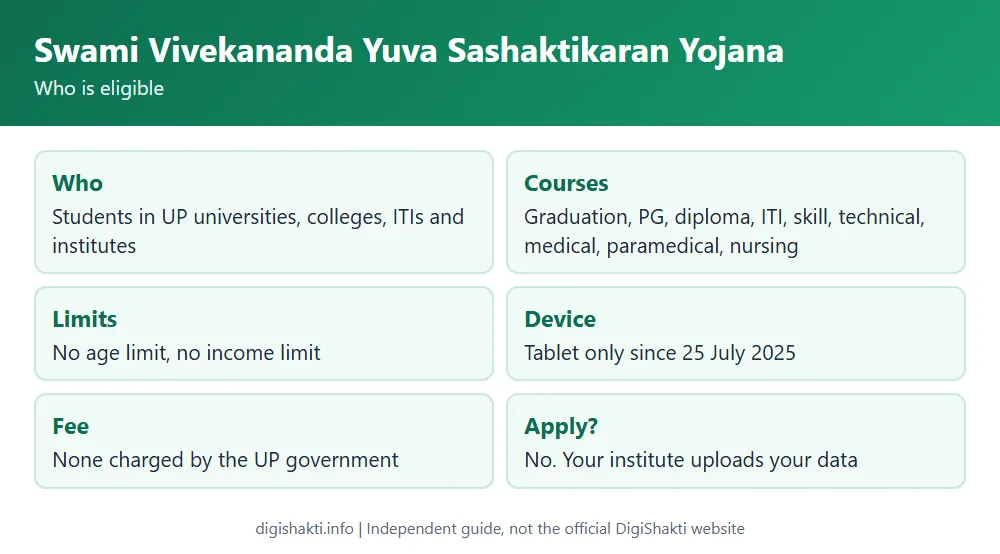
You qualify if you're studying at a government or private university, college or institute in UP. That covers graduation and post-graduation, diplomas, ITI, skill development, and technical, medical, paramedical and nursing courses. There's no age limit and no income limit either. Even a student from another state qualifies, as long as they study in UP. It doesn't work the other way round, though: a UP student studying outside the state isn't covered.
Not everyone gets a tablet at the same time. Final-year students go first, along with anyone on a course of one year or less (GO 1862, 3 January 2024). It's also one device per student. If you already got one in an earlier course, or through another UP scheme that wasn't a school education scheme, you won't get another. And the UP government charges nothing for it.
The full rules are in our Swami Vivekananda Yuva Sashaktikaran Yojana guide. Came here looking for a laptop? Read UP free laptop yojana first, because this scheme gives tablets, not laptops.
Why it is tablets only now
For the first few years, starting with the 2021-22 pilot, each group of students got either a tablet or a smartphone. That ended on 25 July 2025 with government order 463/77-1-2025. UPDESCO had suggested the switch, and now every beneficiary gets a tablet. The same order also cancelled an earlier one, from 24 January 2025, to buy 25 lakh smartphones.
The scheme in numbers
A few figures from the official papers give a sense of the scale. We've put the source next to each one.
| Figure | What it refers to | Source |
|---|---|---|
| 12.32 lakh | Tablets and smartphones bought in about four months for the 2021-22 pilot | GO 975, 18 Jul 2022 |
| 37,08,713 | Students whose data institutes had uploaded by 28 December 2021 | Official FAQ |
| 2 crore | Free tablets or smartphones pledged in the Lok Kalyan Sankalp Patra 2022, when the scheme was set for five years | GO 975, 18 Jul 2022 |
| 5,38,017 | Pilot devices still to be supplied in 2022-23, estimated at about Rs 673 crore | GO 975, 18 Jul 2022 |
| 68 lakh+ | Students the state planned to give devices to, in a November 2021 press release | Press release, Nov 2021 |
| 25 lakh | Smartphones in a January 2025 government order to buy them, later cancelled | GO 463, 25 Jul 2025 |
One number you won't see here is how many tablets have been handed out so far. The official website doesn't publish it, and we'd rather leave it out than guess.
Tablets and service centres
The official FAQ names three makers: Samsung, Acer and Lava. You'll find the models, their specs and every government order PDF on our tablet list page. If yours needs a repair, the official helplines are Samsung 1800 40 726 7864, Lava 1800-103-6844 and Acer 080-6234-6677. District-wise lists are on our service centre page.
| Device | Model | RAM / storage |
|---|---|---|
| Samsung tablet | Galaxy Tab A7 Lite LTE (T225) | 3 GB / 32 GB |
| Lava tablet | T81n | 2 GB / 32 GB |
| Acer tablet | Acer One 8 T4-82L | 2 GB / 32 GB |
| Samsung smartphone | Galaxy A03 / A03s | 3 GB / 32 GB |
| Lava smartphone | Z3 (LE000Z93P) | 3 GB / 32 GB |
Those are the early-batch models from the official FAQ. For the newer tablets-only supply, the official website doesn't name a model.
Is the tablet tracking you?
It's a fair question, and the official FAQ answers it. Every scheme device is enrolled in mobile device management, or MDM. Your device's IMEI number is tied to your enrollment number. That's how study and career material gets to you through the DigiShakti Adhyayan App, the wallpaper and the boot logo. If the device is stolen and you report it, it can be locked remotely.
What isn't tracked matters just as much. According to the FAQ, that includes your call and browsing history, email and SMS, contacts, calendar, passwords, photos, files and phone number, plus the apps and data in your personal profile.
Free courses for students
The 2022 order mentions something else worth knowing. Infosys was offering its Springboard platform free as a CSR activity, about 12,000 courses in all, and had signed an MoU with UPDESCO to run it. It began as a pilot in selected institutes in ten districts: Varanasi, Gorakhpur, Prayagraj, Meerut, Bareilly, Lucknow, Agra, Aligarh, Gonda and Mirzapur.
How to avoid DigiShakti fraud
To stay safe, keep a few things in mind. The UP government doesn't charge any fee. You don't fill in an application or registration form, and no student login exists. The e-KYC runs only through the button on digishakti.up.gov.in and the MeriPehchaan site it opens.
If a link, a web page or a caller wants your details or money in exchange for a tablet, that's not official. Don't fill anything in and don't pay. And never give your Aadhaar OTP to anyone, whoever they say they are.
Latest articles
Fresh from our blog:



Frequently asked questions
Is digishakti.info the official DigiShakti website?
No, we're an independent guide. The official site is digishakti.up.gov.in.
Do I need to apply for the DigiShakti tablet?
No. Your institute uploads your data, and all you do is the Aadhaar e-KYC.
Can I do e-KYC with a fingerprint?
Not according to the official manual. It only describes OTP, sent to the mobile number or email linked to your Aadhaar.
Will I get a smartphone or a tablet?
A tablet. The scheme has given tablets only since 25 July 2025.
When will I get my tablet?
The official site doesn't put out dates. Your institute will let students know, and you'll get SMS updates.
My name, gender or date of birth is wrong. What do I do?
Ask your institution nodal officer to fix it on the portal, or get your Aadhaar corrected. Either way, the record then has to be verified, approved and locked again before you can retry the e-KYC.
Is there an age or income limit?
No, neither. The 2022 government order doesn't set an age limit or an income limit.
I am from another state but study in UP. Am I eligible?
Yes. The official FAQ says any student studying in UP qualifies, whatever their home state or even country. A UP student studying in another state doesn't.
I got a smartphone in my earlier course. Will I get a tablet now?
Sadly not. Once you've received a device in one course, you don't get another in a later one (GO 680, 22 August 2024).
Is there a DigiShakti app for students?
The official FAQ mentions the DigiShakti Adhyayan App, which sends study and career content to scheme devices. The e-KYC itself happens on the website, not in an app.
Who runs the DigiShakti scheme?
The Infrastructure and Industrial Development Department of Uttar Pradesh. UPDESCO in Lucknow is the nodal agency.
Sources: digishakti.up.gov.in (About the Scheme, Student Corner, FAQ, Government Orders, Press Release, service centre lists) and the official user manual for Aadhaar authentication. Checked 4 November 2026.